

ARIA-Label vs. ARIA Labeledby

Jeffrey Rodgers
April 25 3 min read Image Caption
Accessiblü Insight
This Ablü Insight focuses on how to properly use ARIA (Accessible Rich Internet Applications) labels. This is an essential aspect of web design that ensures interactive elements are accessible to all users, including those using assistive technologies like screen readers.
Implementing ARIA labels, such as aria-label and aria-labelledby, is essential to provide context and instructions for users who cannot visually perceive content. ARIA labels play a crucial role in ensuring that these users can access and understand the content effectively.
By mastering these attributes and adhering to accessibility standards like WCAG 2.2, developers can create more inclusive digital environments that accommodate users with diverse needs.
In this edition of Insights we’re going to help demystify when to use aria-label or aria-labeledby.
The aria-label and aria-labelledby attributes both provide accessible names for content and interactive elements on web pages. Still, they serve different purposes and are used in different contexts:
aria-label:- Purpose: This attribute is used to define a string that labels the current element. It is used when there is no visible label or text that can be programmatically associated with the element.
Usage: You can usearia-labelto provide an accessible name when the visual design does not include text for a label. For example, it is commonly used on icon buttons or elements where the visual representation (like an icon) conveys the button’s purpose but there is no textual label on the screen.- HTML Example:
<button aria-label="Close" onclick="closeModal()">X</button>
aria-labelledby:- Purpose: This attribute references other elements on the page to define a label. It allows the user to specify one or more elements to contribute to the accessible name.
- Usage: Use
aria-labelledbywhen you want to refer to other elements that are already present on the page, which can provide a meaningful label. This is particularly useful when the label is composed of multiple separate elements. - HTML Example:
<div id="nameLabel">Name:</div><input type="text" aria-labelledby="nameLabel" />
Key Differences:
- Direct vs. Referenced:
aria-labelprovides a label directly as a string, whereasaria-labelledbyreferences other elements that contain the text used for the label. - Simplicity vs. Complexity:
aria-labelis straightforward and good for short labels, especially when no visible text matches the label. - The aria-labelledby attribute offers more flexibility as it can construct a label using multiple text sources. This attribute becomes particularly useful when dealing with complex widgets or integrating labels with visual context.
Each of these attributes plays a critical role in enhancing accessibility, particularly for users who rely on screen readers to navigate and interact with web content. It’s important to choose the right attribute based on the specific needs of the content and the presence of visible text elements.
March 30 9 min read
Every spring, WebAIM publishes its annual analysis of the top one million home pages on the web, scanning each one…...
 August 29 15 min read
Let’s talk about something: your website’s accessibility statement. If you’re in the C-suite or on the legal team, you’ve probably wondered…...

 June 23 12 min read
Let’s be honest—diving into WCAG (Web Content Accessibility Guidelines) can feel like trying to read a technical manual written by…...
June 09 11 min read
If you’ve ever tried to dive into WCAG (Web Content Accessibility Guidelines), you might have felt like you were…...
 May 02 9 min read
May 15th marks Global Accessibility Awareness Day (GAAD), a worldwide event dedicated to raising awareness about digital accessibility and inclusion.…...
 December 13 6 min read
Exciting news in the world of digital accessibility! We’re finally getting some juicy details about WCAG 3.0 – the next…...
 November 08 8 min read
Before joining Accessiblü, I spent 20 years as an instructional designer, accessibility specialist, and LMS administrator in higher education. In…...
 October 28 22 min read
As AI continues to evolve, it’s shaking things up in the world of web crawling and search. AI-powered crawlers are…...
 September 19 11 min read
Digital accessibility is a complex challenge. Businesses often struggle to know where to start, lacking a clear understanding of how…...
 September 16 9 min read
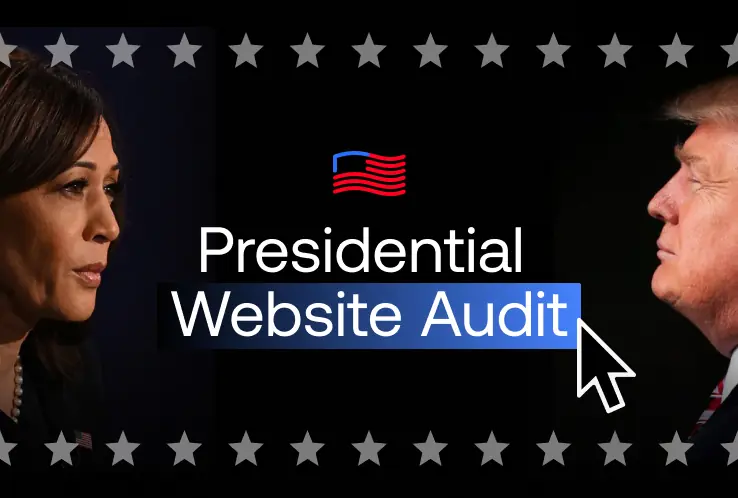
As the digital space continues to play a crucial role in modern political campaigns, accessibility remains a key concern that…...
October 11 11 min read
In today’s digital age, understanding WAI-ARIA roles is crucial for mastering web accessibility. It ensures that websites and web applications…...
 April 28 11 min read
Unlocking the Power of Accessibility: A Guide to Creating Inclusive Websites As web developers, we believe creating an accessible, inclusive,…...
 October 31 11 min read
Over the years of working with businesses on accessibility conformance, we’ve seen the same mistakes made over and over again.…...
 September 23 8 min read
JCC Digital Co-op, and The Jewish Community Centers online compliance for its members....
 September 02 10 min read
Web accessibility and compliance. A businesses websites needs to be compliant with the ADA laws....
 August 19 9 min read
Digital Overlays are not accessible, and are not ADA compliant. Good web design from the beginning or an accessibility audit…...
 August 12 9 min read
Digital Overlays are not accessible, and are not ADA compliant. Good web design from the beginning or an accessibility audit…...