

Navigating the Digital Accessibility Maze

Jeffrey Rodgers
September 19 11 min read Image Caption
Digital accessibility is a complex challenge. Businesses often struggle to know where to start, lacking a clear understanding of how to assess their digital presence for accessibility needs. This isn’t a one-time fix—it’s an ongoing process that requires continuous monitoring and updates.
The limitations of automated tools compound this difficulty. These tools can only check about 30% of WCAG issues, necessitating resource-intensive manual testing. Many developers and content creators lack expertise in WCAG guidelines, ARIA roles, and proper accessibility coding. Small—to mid-sized businesses face particular challenges, often lacking the resources to maintain a dedicated in-house accessibility team.
As we delve deeper into the intricacies of WCAG 2.2 compliance and common accessibility barriers, you’ll gain a clearer understanding of the hurdles faced by content creators, developers, and managers in ensuring digital inclusivity.
Understanding WCAG 2.2 Compliance and Common Accessibility Barriers
Navigating WCAG 2.2 Level AA guidelines can feel like deciphering an enigma. You’re tasked with applying these standards across various digital platforms while juggling aesthetics, performance, and user experience. It’s not a one-and-done deal—accessibility is an ongoing journey, not a destination.
So, what roadblocks might you encounter? Let’s break it down:
Common Accessibility Pitfalls
- Unlabeled buttons and missing alt-text: These seemingly small oversights can leave users in the dark.
- ARIA role misuse: It’s like using a fork to eat soup—ineffective and potentially messy.
- Inaccessible forms: They’re the digital equivalent of a locked door without a key.
- Multimedia without captions or transcripts: Imagine watching a silent movie without subtitles—frustrating, right?
- Dynamic content that baffles screen readers: It’s like trying to read a book with pages that keep rearranging themselves.
Let’s not forget about social media, a realm where accessibility often takes a backseat to snappy content and eye-catching visuals.
Developer Dilemmas
If you’re a developer, you might find yourself grappling with proper HTML5 element usage or scratching your head over ARIA implementations. Creating accessible custom widgets? It’s like building a house that needs to accommodate everyone, regardless of their abilities.
Content Creator Conundrums
For content creators, the challenge lies in crafting engaging content that doesn’t leave anyone out. How do you write alt-text that’s both descriptive and concise? Or design with both aesthetics and readability in mind? It’s a delicate balancing act.
Remember, these hurdles are manageable. By understanding them, you’re already taking the first step towards creating a more inclusive digital world. In the next section, we’ll explore some immediate solutions to help you tackle these challenges head-on.
Immediate Solutions: User Testing and Accessibility Monitoring
Now that we’ve identified the challenges, let’s explore some immediate solutions to boost your digital accessibility game. It’s time to move beyond automated tools and embrace a more comprehensive approach.
The Role of Automated Tools: Helpful, but Limited
Automated tools like WAVE or axe are great for catching low-hanging fruit, but they’re not a cure-all. They can flag basic issues like missing alt-text or contrast problems, but they’re like a spell-checker for accessibility – useful, but not infallible. Remember, they only catch about a third of WCAG 2.2 issues. For the other 70%, you need a different strategy.
Accessibility Monitoring: Your 24/7 Guard
Implementing real-time monitoring systems is like having a vigilant accessibility watchdog. These systems continuously scan for new issues on your websites and mobile apps, catching problems as they arise. By integrating monitoring into your CI/CD pipelines, you can nip accessibility issues in the bud during development.
User Testing: The Human Touch
Nothing beats the insights gained from real people using assistive technologies. Involve users who rely on screen readers, voice recognition, and other assistive tools to test your digital platforms. Ask them to perform specific tasks – submitting a form, reading content, navigating your site. Their feedback is gold dust for improving accessibility.
Manual testing by accessibility professionals can uncover context-specific issues that automated tools miss. They can evaluate cognitive load, readability, and complex interactions that machines simply can’t comprehend.
By combining automated tools, continuous monitoring, and human testing, you’re creating a robust accessibility strategy that covers all bases. It’s not just about compliance – it’s about creating a truly inclusive digital experience for all users.
The Superior ROI of Outsourcing Accessibility
When it comes to digital accessibility, you might be tempted to build an in-house team. But here’s a reality check: that route can be as costly as it is challenging. Training your staff on the intricacies of WCAG guidelines isn’t just expensive—it’s a time-consuming endeavor that never truly ends. With accessibility standards evolving faster than you can say “ADA compliance,” your team would need to be in a constant state of learning.
So, what’s the alternative? Partnering with accessibility experts. It’s like having a team of seasoned mountaineers guide you through treacherous terrain instead of trying to scale the peak alone. These external agencies bring a wealth of experience from working across various platforms, allowing them to spot and resolve issues faster than you can say “screen reader compatibility.”
The Cost-Effective Advantage
Outsourcing your accessibility efforts isn’t just about convenience—it’s a smart financial move. Specialized agencies offer comprehensive solutions that cover audits, remediation, and ongoing monitoring. The long-term savings become apparent when you factor in the costs of hiring, training, and retaining an in-house team.
But it’s not just about saving money. It’s about maximizing your return on investment. These agencies don’t just fix problems—they provide training, implement monitoring systems, and offer continuous support. It’s like having a personal trainer for your website’s accessibility: they don’t just help you lift the weight, they teach you proper form and keep you accountable.
By choosing to outsource, you’re not just addressing immediate issues—you’re investing in a sustainable, long-term solution for digital inclusivity. And in today’s digital landscape, that’s not just good ethics—it’s good business.
The Dangers of Relying on Accessibility Overlays
You’ve probably heard of accessibility overlays like AccessiBe or UserWay. They promise a quick fix for your digital accessibility woes, but here’s the cold, hard truth: they’re more snake oil than solution.
These overlays claim to magically solve accessibility issues with a single line of code. Sounds too good to be true? That’s because it is. They’re like putting a Band-Aid on a broken leg – it might look like you’re doing something, but you’re not addressing the real problem.
Why Overlays Fall Short
Overlays only apply cosmetic fixes, leaving the underlying code and design flaws untouched. It’s like painting over a cracked wall without fixing the foundation. They struggle with complex accessibility challenges such as proper screen reader navigation or keyboard focus traps. In essence, they’re trying to solve a multidimensional problem with a one-dimensional solution.
Privacy and Legal Pitfalls
But wait, there’s more! Many of these tools track user behavior, potentially violating privacy laws. Imagine thinking you’re helping users with disabilities, only to find out you’re inadvertently invading their privacy. Talk about good intentions gone awry.
And if you’re counting on these overlays for legal protection, think again. Despite their bold claims, they don’t offer a shield against lawsuits. They simply don’t bring full compliance with WCAG or ADA guidelines. It’s like wearing a paper helmet in a football game – it might make you feel protected, but it won’t hold up when you really need it.
Remember, true accessibility isn’t about quick fixes or magical solutions. It’s about building inclusivity into the very fabric of your digital presence. Don’t let the siren song of accessibility overlays lure you into a false sense of security. Your users – and your legal team – will thank you for taking the high road.
Essential Tools and Resources for Effective Accessibility Monitoring
Now that you’re armed with knowledge about the pitfalls of overlays, let’s explore the arsenal of tools at your disposal for effective accessibility monitoring. It’s time to separate the wheat from the chaff and focus on solutions that truly make a difference.
Automated Accessibility Checkers: Your First Line of Defense
Think of automated tools like WAVE, axe, and Lighthouse as your digital accessibility scouts. They’re excellent at catching low-hanging fruit – those pesky alt-text mishaps or color contrast conundrums. But remember, they’re just the opening act, not the headliner. Incorporate these tools into your development process to catch early-stage errors, but don’t rely on them exclusively.
Continuous Monitoring Platforms: Your Vigilant Watchdog
Monitoring platforms are the bloodhounds of the accessibility world. They sniff out issues 24/7, provide regular reports, and track your progress over time. It’s like having a tireless accessibility intern who never sleeps and always stays on top of the latest guidelines.
However, like an intern, the results need to be vetted by a more experienced professional. As is the case with all automated tools (and interns), they have limited abilities and often make mistakes.
Automated monitoring platforms are great for identifying trends and isolating barriers. However, they can flag false negatives and positives. Since they can’t determine things like proper alt+text or reading orders, you’ll need that expert to keep them honest.
Manual Testing Services: The Human Touch
While automated tools are great, they can’t replace the nuanced understanding of human testers. Agencies specializing in accessibility offer end-to-end solutions, bringing a wealth of experience to the table. They’re like seasoned sommeliers, able to detect subtle notes that machines might miss.
Don’t forget about browser-based assistive technology simulators. These tools let you experience your site as users with disabilities might, providing invaluable insights. It’s like trying on a pair of glasses that reveal a whole new digital world.
By combining these tools and resources, you’re not just ticking boxes – you’re creating a comprehensive strategy for digital inclusivity. Remember, accessibility isn’t a destination; it’s an ongoing journey. These tools are your compass, map, and trusted guides along the way.
Best Practices for Maintaining an Accessible Digital Presence
You’ve made it this far in your accessibility journey, but the road doesn’t end here. Maintaining an accessible digital presence is like tending a garden – it requires constant care and attention. Let’s dig into some best practices that’ll keep your digital landscape blooming with inclusivity.
Cultivate a Robust Accessibility Policy
First things first: plant the seeds of accessibility in your organization’s DNA. Develop a comprehensive policy that puts accessibility at the forefront of design and content creation. This isn’t just a document to gather dust – it’s your north star, guiding every digital decision you make.
Nurture Knowledge Through Training
Knowledge is power, especially when it comes to accessibility. Regular training for your content creators, developers, and managers isn’t just beneficial – it’s essential. Think of it as watering your accessibility garden, ensuring everyone has the skills to help it flourish.
- Train content creators on crafting accessible copy and multimedia
- Educate developers on WCAG-compliant coding practices.
- Empower managers to champion accessibility in every project.
Stay Current with Accessibility Standards
The digital world evolves rapidly, and so do accessibility standards. Keeping pace with changes to WCAG and other guidelines is like pruning your garden – it keeps everything neat, tidy, and growing in the right direction. Set up a system to regularly review and implement updates to your accessibility practices.
Listen to Your Users
Your users are the best judges of your accessibility efforts. Implement easy-to-use feedback mechanisms for reporting accessibility issues. But don’t just collect feedback – act on it swiftly. It’s like responding to changing weather in your garden – quick action can prevent small issues from becoming big problems.
Remember, maintaining an accessible digital presence isn’t a sprint – it’s a marathon. By implementing these best practices, you’re not just ticking boxes; you’re cultivating a digital environment where everyone feels welcome and valued. And in today’s interconnected world, that’s not just good ethics – it’s smart business.
Forging a Future-Ready Digital Landscape
Digital accessibility isn’t just about compliance—it’s about creating a truly inclusive online world. By embracing a proactive approach, you’re not only avoiding potential legal pitfalls but also opening your digital doors to a wider audience. Remember, continuous monitoring and manual user testing are your best allies in this journey.
While the task may seem daunting, partnering with accessibility experts can offer a superior return on investment. These specialists bring a wealth of knowledge and experience, often proving more cost-effective than building an in-house team from scratch. And let’s not forget—steering clear of quick-fix overlays is crucial. These band-aid solutions may promise instant results, but they often fall short of true accessibility and can even introduce new problems.
As we navigate an increasingly AI-driven digital landscape, maintaining an accessible web presence is more critical than ever. Search algorithms and AI user agents rely on well-structured, accessible content to retrieve and understand information. By prioritizing accessibility, you’re not just serving human users—you’re future-proofing your digital presence for the next wave of technological advancements. It’s time to see digital accessibility not as a burden, but as an opportunity to innovate, expand your reach, and create a more inclusive online world for all.
 June 02 9 min read
Most colleges, county governments, and state agencies breathed a sigh of relief when the DOJ extended the ADA Title…...
 April 20 9 min read
If you’ve been scrambling to meet the April 24, 2026, ADA Title II compliance deadline for web and mobile app…...
April 06 14 min read
We’re in April 2026, and the DOJ ADA Title II Rule deadline of April 24 is upon us. I’m still…...
February 17 12 min read
Over the past two months, I’ve had dozens of conversations with state agencies, county governments, and public entities who are…...
 February 04 11 min read
I think it’s about time that someone writes this blog. As an accessibility company, you may think we benefit from…...
 November 25 11 min read
If you thought navigating ADA website compliance was challenging before, there’s a new wrinkle that’s making things even more complicated.…...
October 28 9 min read
Hi there — if you’re reading this, chances are you’re a C-Suite leader or a web/digital manager who cares about…...
 October 17 12 min read
Part 4 of 4: Why the Traditional Audit-Fix-Reaudit Cycle Keeps CFOs Awake at Night I was on an initial sales…...
 October 10 11 min read
I was on a call last month with a marketing director who perfectly captured something I encounter almost weekly. “We’ve…...
 October 03 12 min read
I got an email last week that made me both laugh and cringe at the same time. A procurement manager…...
 September 26 12 min read
Part 1 of 4: Why Getting Everyone on the Same Page About Digital Accessibility Feels Like Herding Cats Series Introduction:…...
September 15 11 min read
With just 7 months until April 2026, it’s time for an honest assessment—and smarter decisions about your path forward. As…...
 August 06 11 min read
How the traditional audit-first approach keeps businesses stuck in an expensive cycle of non-compliance—and what actually works instead. If you’re…...
July 31 9 min read
Why We Recommend Managed Accessibility Ops Over Traditional Audits When potential clients reach out to Accessiblü, most ask for the…...
 July 22 11 min read
When compliance costs meet fiscal reality: Navigating the undue burden provision with confidence and clarity Disclaimer: This article provides general…...
 June 23 12 min read
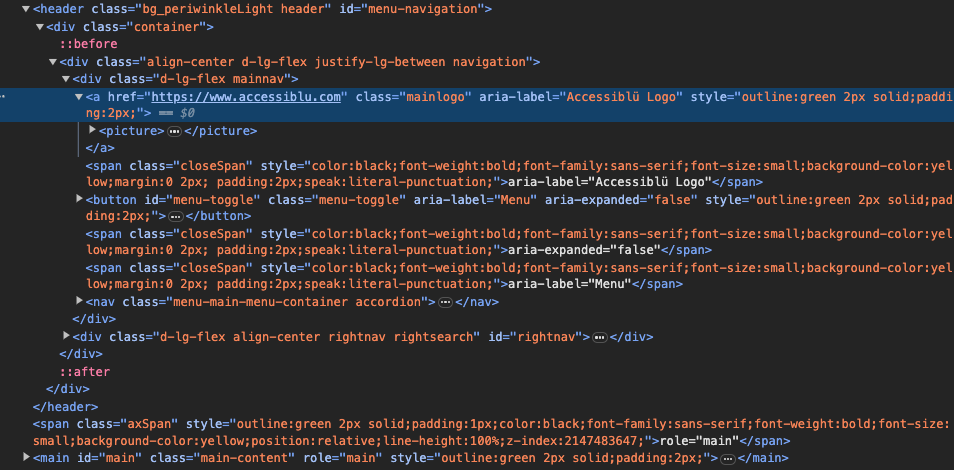
Let’s be honest—diving into WCAG (Web Content Accessibility Guidelines) can feel like trying to read a technical manual written by…...
June 09 11 min read
If you’ve ever tried to dive into WCAG (Web Content Accessibility Guidelines), you might have felt like you were…...
May 28 16 min read
Ensuring that the technology your organization purchases is accessible to all users isn’t just a nice-to-have—it’s essential. But if you’re…...
May 20 8 min read
In 2025, accessibility isn’t just a moral imperative—it’s a legal necessity. As businesses expand their online presence, the risk of…...
 April 28 12 min read
In today’s digital landscape, accessibility isn’t just a nice-to-have—it’s increasingly becoming a business imperative. If you’re a CEO, CTO, or…...
April 03 11 min read
In my years leading digital accessibility initiatives, I’ve witnessed a recurring pattern: organizations invest heavily in accessibility audits, only to…...
March 23 5 min read
In the digital age, where customer satisfaction and brand loyalty drive success, ensuring your digital assets are accessible is not…...
March 04 20 min read
This is a challenging time for public entities. The Department of Justice’s new rule under Title II of the ADA…...
 February 25 7 min read
In recent months, federal actions and political movements have sought to dismantle or discourage Diversity, Equity, and Inclusion (DEI) initiatives…...
February 11 8 min read
ADA Title II: Understanding the New DOJ Rule: What State & Local Leaders and Businesses Need to Know What the…...
 February 06 5 min read
Compliance, Deadlines, and What Businesses Need to Do Now The European Accessibility Act (EAA) is a game-changer for businesses operating…...
January 27 6 min read
We at Accessiblü strive to keep our political views private. However, I did feel the need to address the elephant…...
 December 13 6 min read
Exciting news in the world of digital accessibility! We’re finally getting some juicy details about WCAG 3.0 – the next…...
 November 21 6 min read
In today’s digital-first landscape, accessibility is not just a compliance checkbox—it is a sound business strategy. Companies that prioritize digital…...
 November 08 8 min read
Before joining Accessiblü, I spent 20 years as an instructional designer, accessibility specialist, and LMS administrator in higher education. In…...
 September 30 10 min read
Digital accessibility is a critical challenge for many organizations. As an executive, you may be grappling with the complexities of…...
 September 23 7 min read
In today’s digital age, web accessibility has emerged as a crucial element for ensuring that individuals of all abilities can…...
 September 16 9 min read
As the digital space continues to play a crucial role in modern political campaigns, accessibility remains a key concern that…...
 September 05 9 min read
By Rick Flores, Lead Auditor for Accessiblü. In an era where technology continually transforms our lives, Artificial Intelligence (AI) stands…...
September 05 8 min read
Digital accessibility presents a significant challenge for company executives. Many leaders mistakenly view it as a simple fix or an…...
 August 28 9 min read
In today’s digital-first world, ensuring your website, desktop applications, and mobile apps are accessible is not just a matter of…...
 August 28 5 min read
Are you responsible for ensuring digital accessibility on your company’s website, app, or digital assets? Then you know that in…...
 July 01 9 min read
In the realm of web accessibility, automated accessibility tools are often hailed as a panacea, promising comprehensive evaluations with the…...
July 01 9 min read
Ensuring digital accessibility is a crucial responsibility, yet interpreting and addressing the findings from accessibility audits can pose significant challenges…...
 June 28 7 min read
In today’s interconnected world, mobile applications serve as gateways to information, services, and experiences for diverse audiences. However, ensuring these…...
April 25 3 min read
Accessiblü Insight This Ablü Insight focuses on how to properly use ARIA (Accessible Rich Internet Applications) labels. This is an…...
April 18 4 min read
Accessiblü Insight: Audits vs. Testing This Ablü Insight focuses on the differences between accessibility audits and testing. Clients are often…...
April 10 10 min read
In a significant move towards inclusivity, the Department of Justice (DOJ) recently issued a final rule under Title II of…...
March 15 12 min read
Knowing what to ask for in an accessibility contract or Request For Proposal (RFP) will help ensure that you get…...
 February 06 11 min read
As an expert in digital accessibility, the intersection of artificial intelligence (AI) and accessibility is a topic that has me…...
January 23 15 min read
Looking for WCAG explained in a way that’s easy to understand? We know that trying to read and apply the…...
 December 20 14 min read
Looking to improve your website’s accessibility in 2024? Don’t worry; our digital accessibility plan has you covered! Entering a new…...
December 11 10 min read
As businesses increasingly recognize the importance of creating inclusive digital experiences, there is a growing demand for manual accessibility audits.…...
December 01 10 min read
In today’s digital landscape, web accessibility is essential to ensuring equal access and inclusion for all users. Accessibility overlays have…...
November 07 11 min read
When it comes to evaluating the accessibility of your website or app, understanding which type of audit report is best…...
October 11 11 min read
In today’s digital age, understanding WAI-ARIA roles is crucial for mastering web accessibility. It ensures that websites and web applications…...
 September 18 15 min read
Accessibility is a fundamental aspect that all website owners and developers should consider. Understanding how people with disabilities navigate the…...
 September 01 10 min read
There’s been a buzz about the new WCAG 2.2 update for over a year now. After a series of delays,…...
 July 19 6 min read
The digital landscape is constantly evolving, and with it comes the need for inclusive and accessible online experiences. California has…...
 July 13 5 min read
If you own or operate a website used by the US federal government, you need to ensure it’s accessible to…...
June 29 14 min read
Businesses ready to make accessibility a priority often encounter a barrier of their own, determining the cost of a website…...
 June 09 10 min read
Ensuring web accessibility is crucial for creating inclusive digital experiences that enable people with diverse abilities to access and interact…...
 May 25 10 min read
On May 19, 2023, the Department of Education (DOE) and the Department of Justice (DOJ) issued a “Dear Colleague Letter”…...
 April 28 11 min read
Unlocking the Power of Accessibility: A Guide to Creating Inclusive Websites As web developers, we believe creating an accessible, inclusive,…...
 April 14 11 min read
Mention “accessibility” in any conversation about websites or digital media; you might get a wide array of responses. Depending on…...
 August 19 9 min read
Digital Overlays are not accessible, and are not ADA compliant. Good web design from the beginning or an accessibility audit…...
August 12 9 min read
Digital Overlays are not accessible, and are not ADA compliant. Good web design from the beginning or an accessibility audit…...
 May 16 5 min read
Global Accessibility Awareness Day (GAAD) is every third Thursday in May – this year it is May 19, 2022 On…...
December 06 5 min read
We hear this question from businesses of all sizes, and often wonder why they ask, because the law is so…...
 September 03 5 min read
TLDR: Ask your accountant about the Disabled Access Credit. You can claim 50% of what you spend on web accessibility…...