

Stay Ahead of the Curve: Assessing Your Digital Accessibility Maturity

Jeffrey Rodgers
August 28 9 min read Image Caption
In today’s digital-first world, ensuring your website, desktop applications, and mobile apps are accessible is not just a matter of compliance—it’s a strategic business imperative!
As a CEO or member of your leadership team, you may understand that digital accessibility is a cornerstone of your brand’s reputation and customer experience. This article will help you assess your organization’s digital accessibility maturity, guide you in benchmarking against industry standards like WCAG 2.2 Level AA, and provide actionable steps to mitigate legal risks and enhance inclusivity.
Why Digital Accessibility Matters to Your Business
Digital accessibility ensures that all users, including those with disabilities, can fully engage with your digital content. Remember that improving accessibility improves usability!
Accessibility is not about doing something for a small group of people. It’s about ensuring ALL your customers, clients, and end users can use your website or app, regardless of their ability.
As of April 2024, the U.S. Department of Justice has ruled that compliance with The Americans with Disabilities Act (ADA) mandates that websites and digital applications be accessible, similar to how physical buildings must be wheelchair accessible. With the rise in litigation over inaccessible websites, failure to comply with the ADA and WCAG 2.1 or 2.2 standards can result in significant legal liabilities, financial penalties, and reputational damage.
Moreover, accessibility is more than just compliance; consider it an opportunity to enhance your customer base.
According to the World Health Organization (WHO) and the Centers for Disease Control (CDC), Approximately 20% of the global population lives with some form of disability. By making your digital assets accessible, you are not only adhering to legal requirements but also expanding your reach to a broader audience, fostering brand loyalty, and showcasing your commitment to corporate social responsibility.
Understanding Digital Accessibility Maturity
To effectively assess your digital accessibility maturity, it’s essential to understand where your organization currently stands in terms of compliance and usability. This assessment involves evaluating your digital assets against the four principles of the Web Content Accessibility Guidelines (WCAG) 2.2: Perceivable, Operable, Understandable, and Robust (POUR). These principles provide a comprehensive framework to ensure that digital content is accessible to everyone, regardless of their abilities or the technology they use.
1. Perceivable: Ensuring Content is Available to All Senses
Digital content must be perceivable by users through the senses available to them. This principle focuses on making content accessible to those with visual, auditory, or cognitive impairments.
- Visual Design and Color Contrast: It’s crucial to ensure that all text is easily readable against its background. The minimum contrast ratio should be 4.5:1 for regular text and 3:1 for large text. Additionally, color should not be the sole method of conveying information. For example, using color and text to indicate a form field error is necessary.
- Alternative Text for Images: Every image that conveys information must have appropriate alternative text (alt text) as a textual substitute. This alt text should succinctly describe the image’s content and purpose, enabling screen readers to convey the same information to visually impaired users.
- Captions and Transcripts for Multimedia: All video content must include captions, and audio content should accompany transcripts. This not only benefits users who are deaf or hard of hearing but also aids in content consumption in environments where audio might not be accessible, such as noisy public spaces.
- Content Flexibility for Different Viewports: Ensure visual content is adaptable to various screen sizes, from large desktop monitors to small mobile screens, and remains perceivable under different zoom levels.
2. Operable: Ensuring Users Can Navigate and Control the Interface
Content and interface components must be operable by all users. This principle focuses on ensuring that users can interact with your digital content using various methods, including keyboard, mouse, touch, and voice commands.
- Keyboard Accessibility: Every interactive element, including links, buttons, and form fields, must be fully accessible via the keyboard. This is critical for users who rely on keyboard navigation due to motor impairments. Ensure that the focus indicator is clearly visible and that the keyboard focus is not trapped in any part of the interface, preventing users from navigating freely.
- Logical Navigation Order: The navigation and focus order should follow a logical sequence that mirrors the intended reading order. This enhances usability for those relying on screen readers or keyboard navigation.
- Interactive Elements: Ensure that all functionalities, such as menus, pop-ups, and custom widgets, are operable through multiple input methods. For example, custom controls should be fully operable using a keyboard and provide sufficient visual feedback to indicate their functionality, such as hover states and focus indicators.
- Touch and Voice Navigation: With the increasing use of mobile devices, ensure that your digital content is fully operable via touch and that voice commands are supported for those who rely on assistive technologies like speech recognition software.
3. Understandable: Ensuring Content and Interface are Comprehensible
Content and user interface must be understandable by all users. This principle focuses on making information clear and predictable, ensuring users do not encounter unexpected changes or confusing navigation.
- Consistent Navigation: The layout and navigation across your digital platforms should remain consistent. Predictable patterns and consistent placement of navigation elements help users understand how to move through your site or application.
- Clear and Descriptive Labels: Form fields, buttons, and other interactive elements must be clearly labeled so that users understand their purpose. Additionally, instructions and error messages should be provided in a straightforward, non-technical language, guiding users on how to proceed.
- Error Prevention and Correction: Forms and interactive elements should include mechanisms to prevent errors. Required fields should be clearly indicated, and error messages should provide sufficient guidance to help users correct their mistakes. Moreover, the system should offer suggestions or auto-corrections if a user makes an error.
4. Robust: Ensuring Compatibility with Current and Future Technologies
Content must be robust enough to be interpreted reliably by a wide range of user agents, including assistive technologies. This principle emphasizes the need to future-proof your digital assets.
- Standards Compliance: Your digital content should adhere strictly to WCAG 2.2 standards. Regular updates and audits will ensure your content remains accessible even as technology evolves.
- Use of ARIA (Accessible Rich Internet Applications): Where necessary, implement ARIA roles and attributes to enhance the accessibility of complex interactive components, ensuring they are interpretable by assistive technologies. This is especially important for custom widgets and dynamic content that might not be natively accessible.
- Cross-Browser and Cross-Device Compatibility: Ensure that your digital content works seamlessly across different browsers and devices, including those with varying levels of support for accessibility features. This involves testing your content on a wide range of platforms to catch any potential issues.
Beyond the Audit: Prioritizing Remediation and Continuous Improvement
Conducting an accessibility audit is the first step toward achieving compliance, but it’s important to remember that an audit alone does not resolve the issues identified!
With audits, you must take proactive (or retroactive) steps to remediate these issues and continuously improve digital accessibility. However, paying for an audit is not the best way to assess your accessibility. There is another approach!
Conduct a Comprehensive Gap Analysis
While an audit only identifies issues, working with an experienced accessibility team to perform a gap analysis to identify and prioritize the most critical accessibility issues is a better approach with a better ROI. This analysis should focus on barriers that prevent users from accessing essential functions or understanding crucial content. Addressing these high-impact issues should be your first priority.
Incorporate Personas with Disabilities into Your Design Process
To create truly inclusive digital experiences, your design process should include personas representing users with disabilities. This helps ensure that accessibility is considered from the outset rather than being an afterthought. Engage with users with disabilities throughout the design and testing phases to gather valuable feedback.
Manual Testing by Assistive Technology Users
Automated testing tools are a great start, but they should NOT be the only tool for assessing your accessibility. Engage users of assistive technologies who regularly use screen readers and voice recognition software to perform manual testing. This will help uncover issues that automated tools miss, ensuring a more thorough – and accurate – evaluation of your digital accessibility.
Download our Free White Paper: Unveiling the Limitations of Automated Accessibility Tools
Ongoing Training and Education
Provide ongoing accessibility training for your developers, designers, and content creators. Ensure they are well-versed in the latest WCAG standards and understand the practical application of accessibility principles. Training should also extend to managers and stakeholders to foster a culture of accessibility within your organization.
Demonstrating Progress and Commitment to Accessibility
Continuous improvement is essential to maintaining compliance and demonstrating your commitment to digital accessibility. Establish a clear roadmap with measurable milestones and regularly report on your progress to stakeholders.
- Regular Accessibility Testing: Schedule periodic audits or testing to track your organization’s progress and to identify any new accessibility issues that may arise. This ensures that your digital products remain compliant as technology and standards evolve.
- Transparent Reporting: Being transparent about your accessibility efforts builds trust with both internal and external stakeholders. Regularly share updates on the progress of your accessibility initiatives, including successes and areas that still require attention.
- Updating Accessibility Documentation: If you have an accessibility statement for your website or documentation such as a VPAT, you should plan to assess these yearly to see if they need to be updated.
- Budgeting for Accessibility: Allocate a specific budget for accessibility initiatives. This should cover the costs of audits, training, remediation efforts, and acquiring necessary employee tools and resources. By earmarking funds specifically for accessibility, you can ensure that it remains a priority within your organization.
The Strategic Advantage of Digital Accessibility
Investing in digital accessibility is not only about avoiding legal risks; it’s about creating a competitive advantage. Accessible digital products can reach a broader audience, improve user satisfaction, and enhance brand loyalty. Furthermore, by demonstrating a commitment to inclusivity, your organization can differentiate itself from competitors and strengthen its market position.
Conclusion
Assessing and improving your digital accessibility maturity is a continuous journey that requires commitment from all levels of your organization. By aligning your digital products with WCAG 2.2 Level AA, Section 508, and ADA compliance standards, you mitigate legal risks and contribute to a more inclusive digital world. This, in turn, enhances your brand’s reputation and broadens your customer base.
Taking these steps will help your organization stay ahead of the curve, ensuring that your digital content is accessible to all users, now and in the future.
 September 29 7 min read
I wrote about WCAG 3.0 in December 2024, when it still felt more like a rumor than a real document.…...
 October 22 10 min read
If you think accessibility compliance testing means running a quick automated scan and checking your site with one screen reader,…...
 October 03 12 min read
I got an email last week that made me both laugh and cringe at the same time. A procurement manager…...
 August 06 11 min read
How the traditional audit-first approach keeps businesses stuck in an expensive cycle of non-compliance—and what actually works instead. If you’re…...
 July 31 9 min read
Why We Recommend Managed Accessibility Ops Over Traditional Audits When potential clients reach out to Accessiblü, most ask for the…...
 June 23 12 min read
Let’s be honest—diving into WCAG (Web Content Accessibility Guidelines) can feel like trying to read a technical manual written by…...
June 09 11 min read
If you’ve ever tried to dive into WCAG (Web Content Accessibility Guidelines), you might have felt like you were…...
 April 28 12 min read
In today’s digital landscape, accessibility isn’t just a nice-to-have—it’s increasingly becoming a business imperative. If you’re a CEO, CTO, or…...
April 03 11 min read
In my years leading digital accessibility initiatives, I’ve witnessed a recurring pattern: organizations invest heavily in accessibility audits, only to…...
March 23 5 min read
In the digital age, where customer satisfaction and brand loyalty drive success, ensuring your digital assets are accessible is not…...
 February 11 8 min read
ADA Title II: Understanding the New DOJ Rule: What State & Local Leaders and Businesses Need to Know What the…...
 December 13 6 min read
Exciting news in the world of digital accessibility! We’re finally getting some juicy details about WCAG 3.0 – the next…...
 November 08 8 min read
Before joining Accessiblü, I spent 20 years as an instructional designer, accessibility specialist, and LMS administrator in higher education. In…...
 September 30 10 min read
Digital accessibility is a critical challenge for many organizations. As an executive, you may be grappling with the complexities of…...
 September 19 11 min read
Digital accessibility is a complex challenge. Businesses often struggle to know where to start, lacking a clear understanding of how…...
 September 16 9 min read
As the digital space continues to play a crucial role in modern political campaigns, accessibility remains a key concern that…...
 September 05 8 min read
Digital accessibility presents a significant challenge for company executives. Many leaders mistakenly view it as a simple fix or an…...
 August 28 5 min read
Are you responsible for ensuring digital accessibility on your company’s website, app, or digital assets? Then you know that in…...
July 01 9 min read
In the realm of web accessibility, automated accessibility tools are often hailed as a panacea, promising comprehensive evaluations with the…...
July 01 9 min read
Ensuring digital accessibility is a crucial responsibility, yet interpreting and addressing the findings from accessibility audits can pose significant challenges…...
 June 28 7 min read
In today’s interconnected world, mobile applications serve as gateways to information, services, and experiences for diverse audiences. However, ensuring these…...
April 18 4 min read
Accessiblü Insight: Audits vs. Testing This Ablü Insight focuses on the differences between accessibility audits and testing. Clients are often…...
April 10 10 min read
In a significant move towards inclusivity, the Department of Justice (DOJ) recently issued a final rule under Title II of…...
March 15 12 min read
Knowing what to ask for in an accessibility contract or Request For Proposal (RFP) will help ensure that you get…...
January 23 15 min read
Looking for WCAG explained in a way that’s easy to understand? We know that trying to read and apply the…...
 December 20 14 min read
Looking to improve your website’s accessibility in 2024? Don’t worry; our digital accessibility plan has you covered! Entering a new…...
December 11 10 min read
As businesses increasingly recognize the importance of creating inclusive digital experiences, there is a growing demand for manual accessibility audits.…...
December 01 10 min read
In today’s digital landscape, web accessibility is essential to ensuring equal access and inclusion for all users. Accessibility overlays have…...
November 07 11 min read
When it comes to evaluating the accessibility of your website or app, understanding which type of audit report is best…...
 September 18 15 min read
Accessibility is a fundamental aspect that all website owners and developers should consider. Understanding how people with disabilities navigate the…...
 September 01 10 min read
There’s been a buzz about the new WCAG 2.2 update for over a year now. After a series of delays,…...
June 29 14 min read
Businesses ready to make accessibility a priority often encounter a barrier of their own, determining the cost of a website…...
 June 09 10 min read
Ensuring web accessibility is crucial for creating inclusive digital experiences that enable people with diverse abilities to access and interact…...
 April 28 11 min read
Unlocking the Power of Accessibility: A Guide to Creating Inclusive Websites As web developers, we believe creating an accessible, inclusive,…...
 April 24 11 min read
Accessibility laws can be confusing, especially when determining which standards apply to each business. Suppose you are starting to investigate…...
 October 31 11 min read
Over the years of working with businesses on accessibility conformance, we’ve seen the same mistakes made over and over again.…...
 August 19 9 min read
Digital Overlays are not accessible, and are not ADA compliant. Good web design from the beginning or an accessibility audit…...
August 12 9 min read
Digital Overlays are not accessible, and are not ADA compliant. Good web design from the beginning or an accessibility audit…...
 May 16 5 min read
Global Accessibility Awareness Day (GAAD) is every third Thursday in May – this year it is May 19, 2022 On…...
 October 15 5 min read
Website ADA audits are typically the initial offering from the accessibility industry; they promise to find all of the accessibility…...
 September 03 5 min read
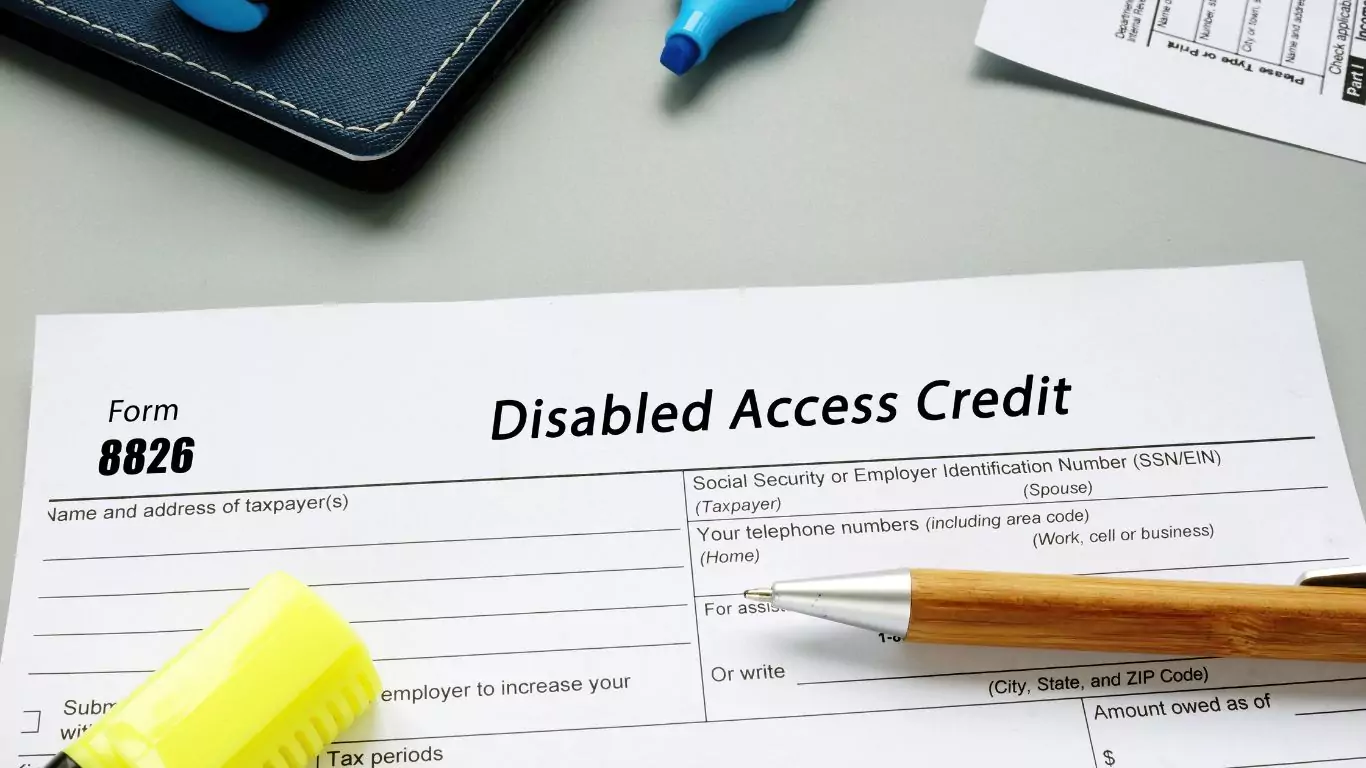
TLDR: Ask your accountant about the Disabled Access Credit. You can claim 50% of what you spend on web accessibility…...